Mounting an image
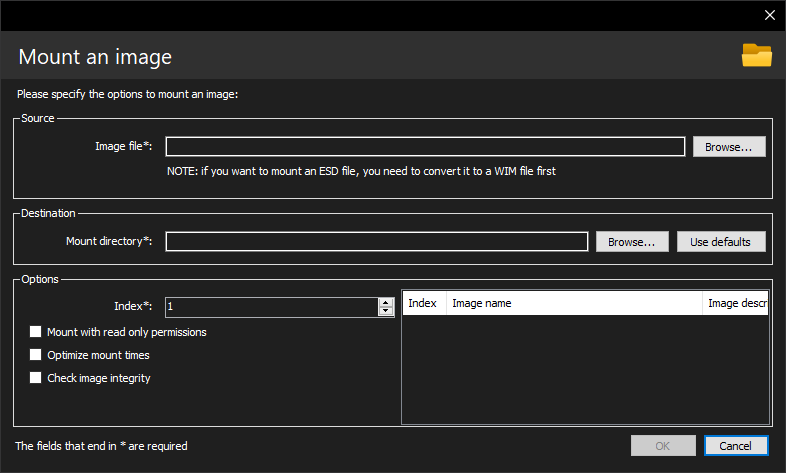
One essential task to perform is mounting a Windows image, and DISMTools can assist you in performing this process.
Usage
- Specify the source image file to mount. It can be a WIM, VHD, ESD or SWM file. However, SWM and ESD files require prior processing before mounting them
- Specify the index to mount in the Options group. You can easily view all indexes of an image in the list on the right
- Specify the directory to mount the image to. If you want to use the mount directory provided by the project, click "Use defaults"
SWM and ESD processing
If you specify an SWM or ESD file when mounting an image, DISMTools will detect it and perform the following:
- If the source image is a SWM file, the program loads the SWM file merger dialog and populates all required fields
- If the source image is an ESD file, the program loads the image conversion dialog and populates all required fields
In either case, you can simply click OK to begin the required process, or can review all options. After performing said process, this dialog is shown again with the source image field populated.