Removing drivers
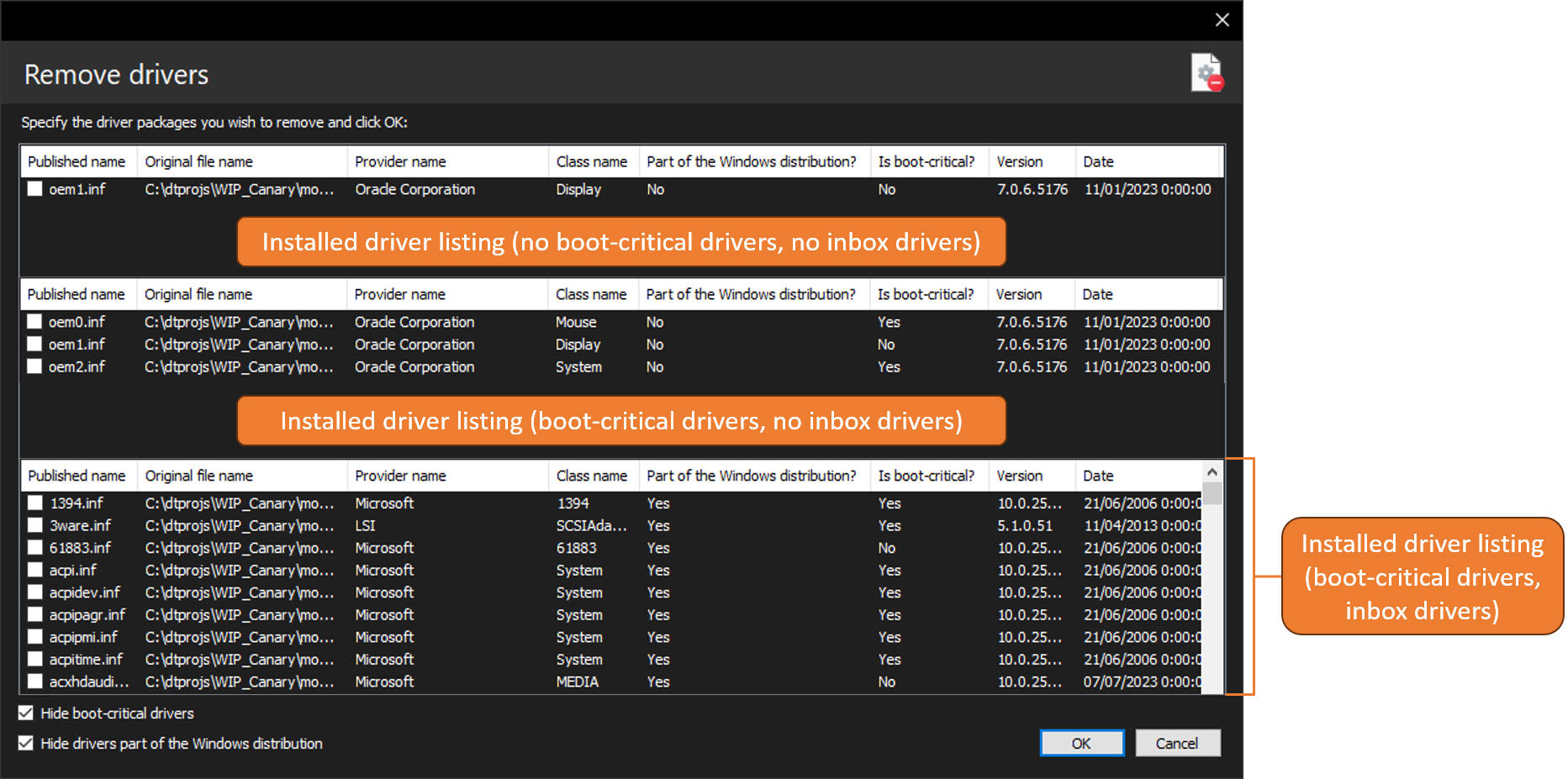
With DISMTools you can remove third-party drivers from a Windows image. This action can be accessed by clicking Commands > Drivers > Remove driver...
Target OS support
This action is supported on the following platforms:
| Platform | Supported? |
|---|---|
| Windows 7/Server 2008 R2 | ✔ |
| Windows 8/Server 2012 | ✔ |
| Windows 8.1/Server 2012 R2 | ✔ |
| Windows 10/Server 2016/2019/2022 | ✔ |
| Windows 11/Server vNext | ✔ |
This action is supported on DISMTools 0.3 and newer
NOTE: this action is not supported on online installations
Usage
You need to specify driver packages and/or folders to remove from your Windows image.
There are 4 view modes available:
- No boot-critical drivers, no inbox drivers (drivers part of the Windows distribution)
- Third-party drivers, boot-critical drivers, no inbox drivers
- Third-party drivers, no boot-critical drivers, inbox drivers
- Third-party drivers, boot-critical drivers and inbox drivers
We recommend against removing boot-critical drivers and inbox drivers, as they may make the image unbootable. That's why the program won't show these drivers by default, unless you mark the Detect all drivers background process setting.